Output Formats
Tugboat can present its findings in different formats depending on where you plan to consume the results.
Configure this with --output-format <name> on the command line, or by setting the output_format in your configuration.
The default is Console.
Console
- output format
console
Optimised for interactive use in a terminal. The console formatter produces richly formatted summaries that highlight the affected code and include any suggested fixes.
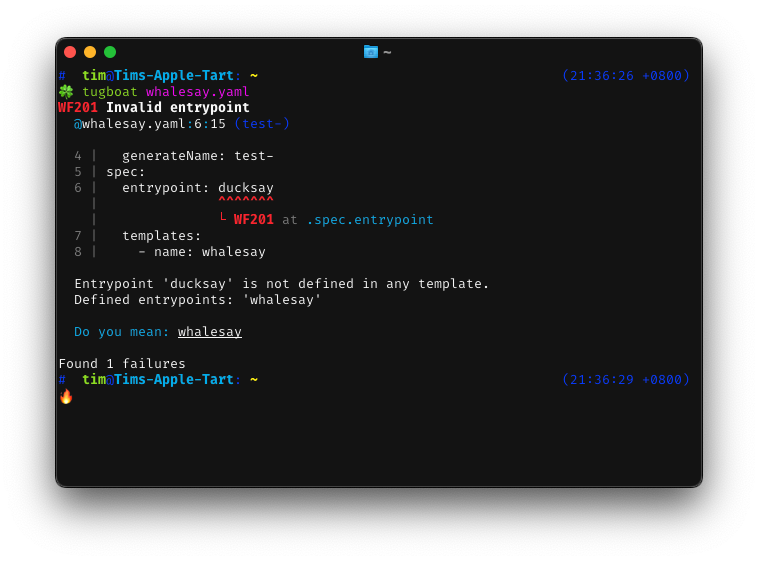
The snippet window is controlled by snippet_lines_ahead and snippet_lines_behind.
GitHub Actions
- output format
github
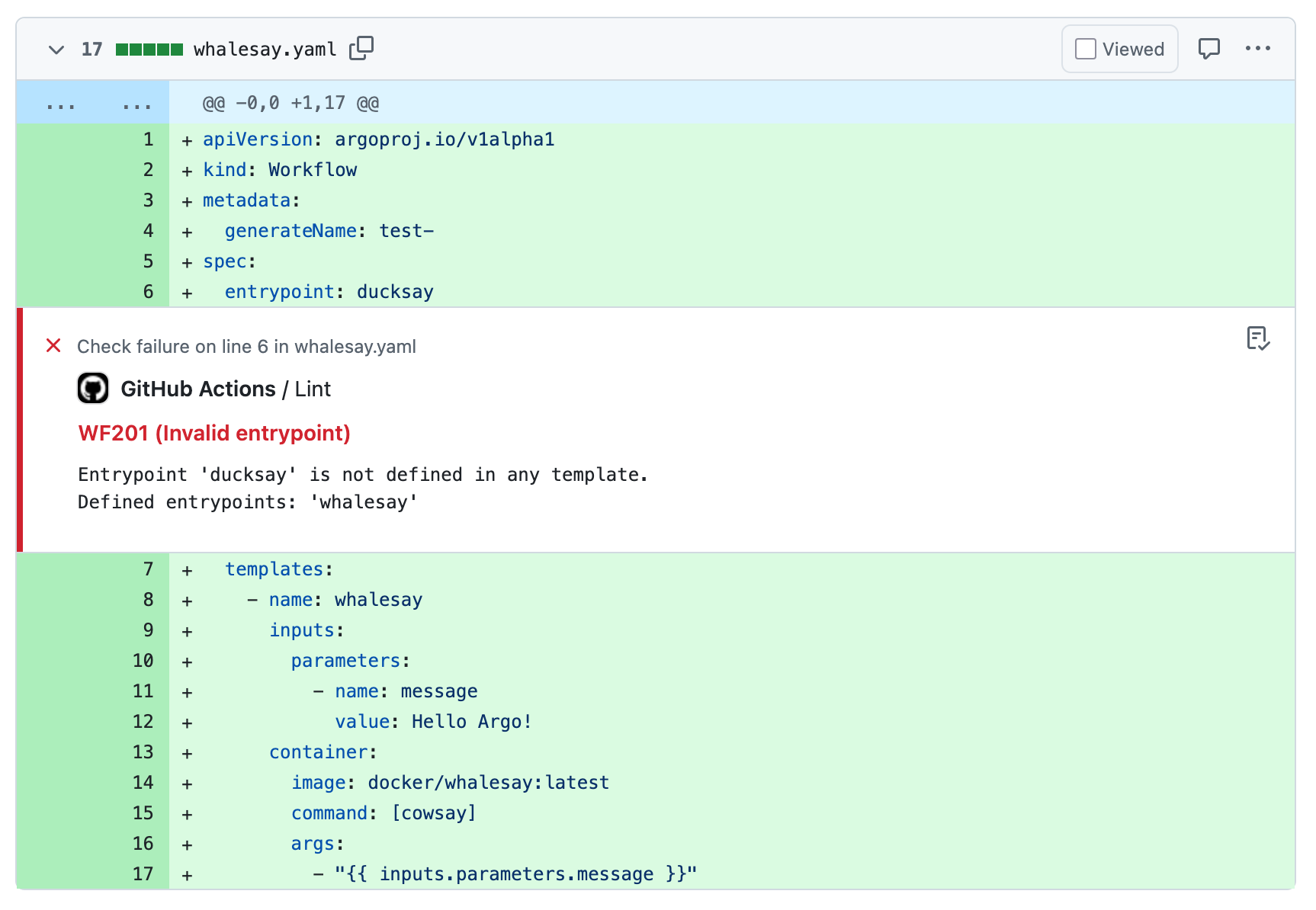
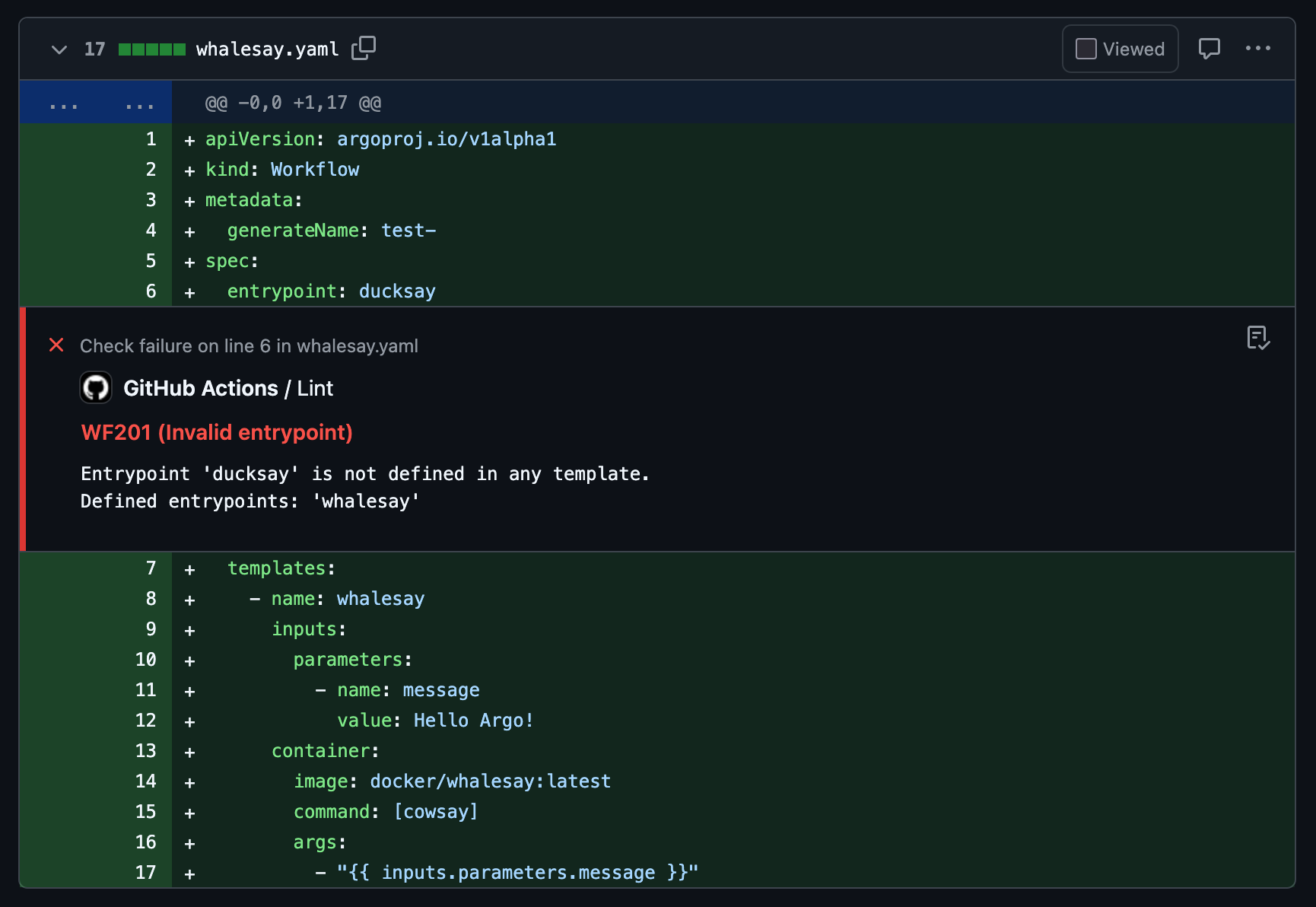
Emits workflow commands that GitHub Actions parses into annotations on the pull request or in the workflow summary.
Example Annotation
JUnit XML
- output format
junit
Produces machine-readable XML that adheres to the JUnit reporting schema, which is understood by most CI dashboards.
Use the following command to capture the XML into a file that can be uploaded as a build artifact:
tugboat --output-format junit --output-file report.xml
The output XML could be used in CI systems like GitLab CI or Jenkins JUnit.
Example Output
<?xml version='1.0' encoding='utf-8'?>
<testsuites name="tugboat" timestamp="2025-10-15T00:00:00.0000+08:00" failures="1">
  <testsuite timestamp="2025-10-15T00:00:00.0000+08:00" name="workflow.argoproj.io/test-" file="whalesay.yaml" failures="1">
    <properties>
      <property name="string:manifest-kind" value="workflow.argoproj.io" />
      <property name="string:manifest-name" value="test-" />
    </properties>
    <testcase name=".spec.entrypoint" classname="WF201" line="6" file="whalesay.yaml" failures="1">
      <failure message="Invalid entrypoint">
        Entrypoint 'ducksay' is not defined in any template.
        Defined entrypoints: 'whalesay'
      </failure>
    </testcase>
  </testsuite>
</testsuites>